 Caldeira Labs
A mesma equipa em aparelhos diferentes
Como juntar na mesma equipa os jogos registados em aparelhos diferentes.
Exemplo: este fim de semana regista um jogo dos Sub 16 no tablet e, na semana seguinte, regista outro jogo da mesma equipa no telemóvel. Para os dois jogos ficarem na mesma equipa e as estatísticas da época se juntarem, os dois aparelhos usam a mesma conta Google e o segundo recebe a equipa a partir do Google Drive.
Passo a passo
- Aparelho A: em Definições → Ligar e sincronizar, ligue a conta Google. Registe e termine o jogo. O jogo é enviado para o Drive ao terminar ou, se não houver internet no pavilhão, quando tocar em Sincronizar agora.
- Aparelho B, com a app acabada de instalar: no primeiro ecrã, toque em Recuperar do Google Drive e escolha a mesma conta. Recebe o clube, as equipas, os jogadores e os jogos.
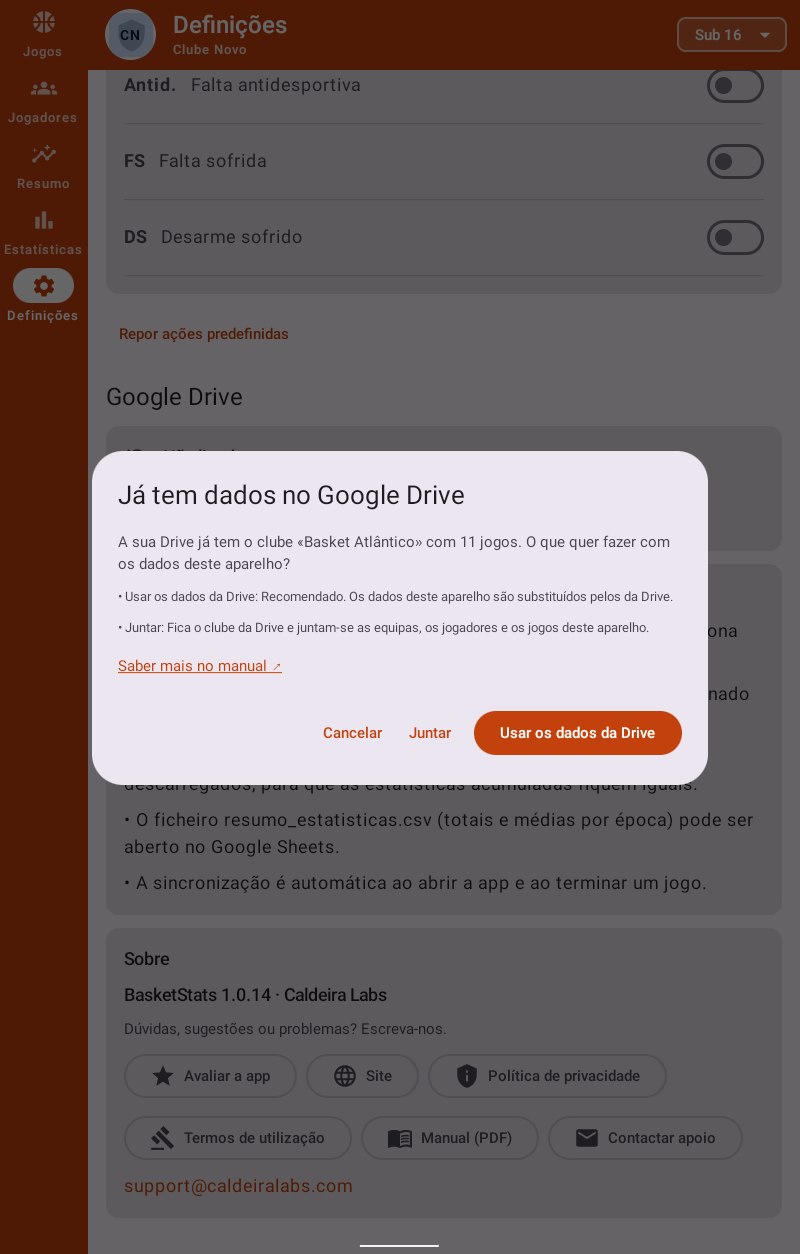
- Aparelho B, já com dados: ao ligar o Drive, a app avisa que o Drive já tem um clube. Escolha Usar os dados da Drive. «Juntar» só serve para juntar ao clube do Drive o que registou neste aparelho.
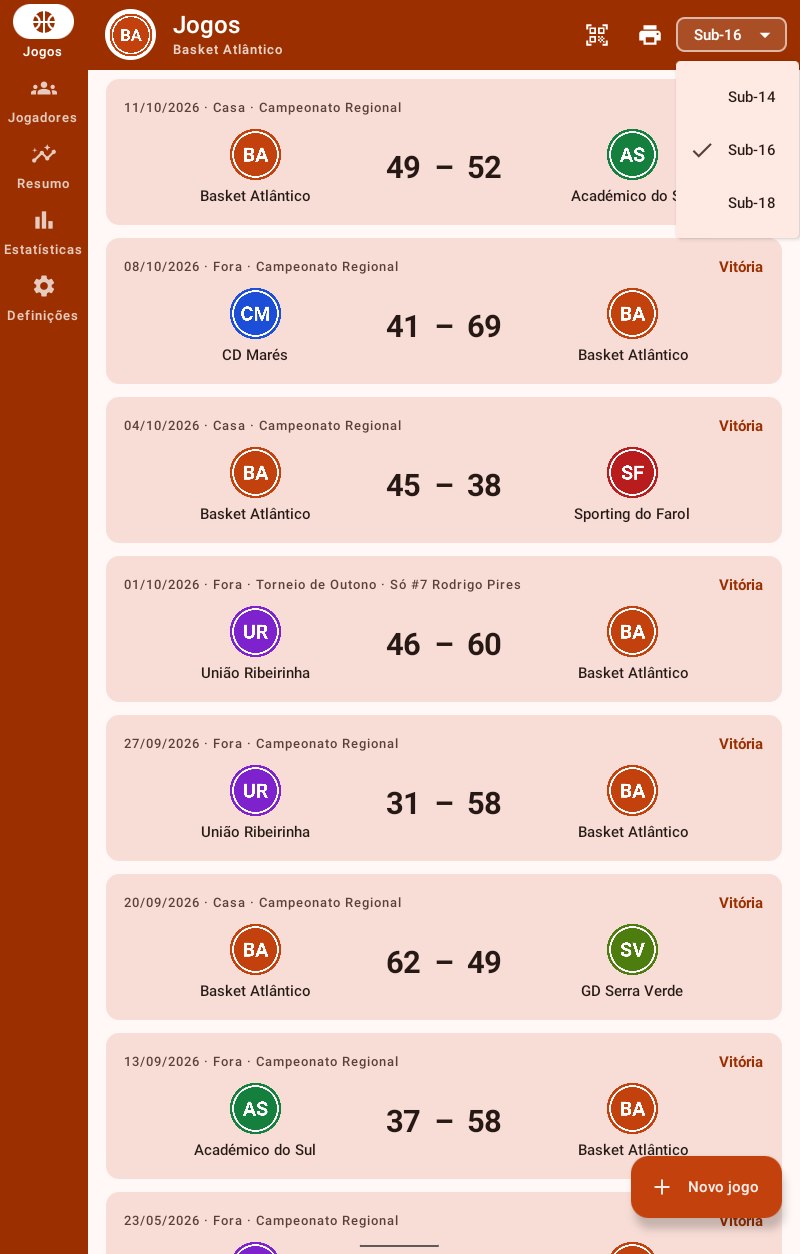
- No topo, escolha a equipa (Sub 16) e registe o jogo. Ao terminar, sincroniza sozinho. O aparelho A recebe-o da próxima vez que abrir a app com internet.
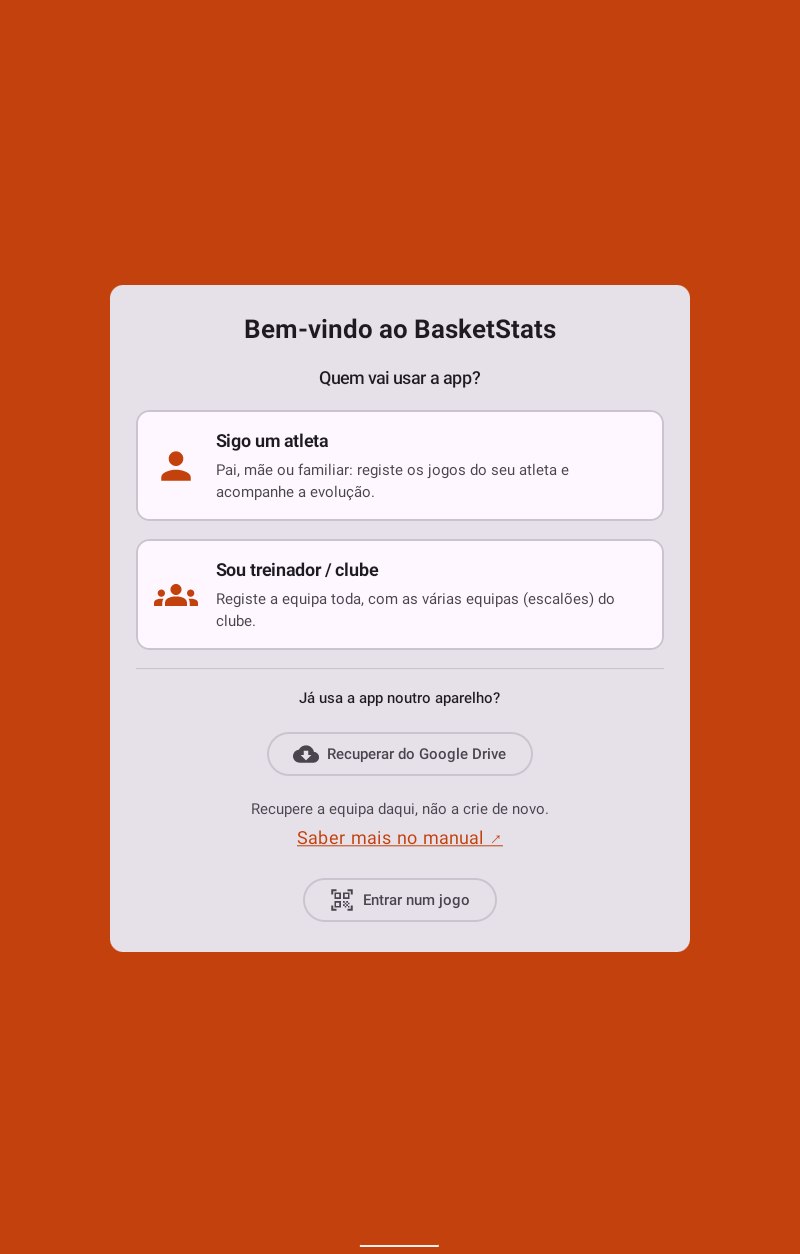
Para registar o mesmo jogo em dois aparelhos ao mesmo tempo (por exemplo, um adjunto a registar ressaltos), use Entrar num jogo com o código QR. Funciona sem internet.
Manual completo: BasketStats-manual-PT.pdf · Dúvidas: [email protected]
El mismo equipo en dispositivos diferentes
Cómo reunir en el mismo equipo los partidos registrados en dispositivos diferentes.
Ejemplo: este fin de semana registras un partido del Sub 16 en la tablet y, la semana siguiente, otro partido del mismo equipo en el móvil. Para que los dos partidos queden en el mismo equipo y las estadísticas de la temporada se sumen, los dos dispositivos usan la misma cuenta de Google y el segundo recibe el equipo desde Google Drive.
Paso a paso
- Dispositivo A: en Ajustes → Conectar y sincronizar, conecta la cuenta de Google. Registra y finaliza el partido. Se envía a Drive al finalizar o, si no hay internet en el pabellón, cuando toques Sincronizar ahora.
- Dispositivo B, con la app recién instalada: en la primera pantalla, toca Recuperar de Google Drive y elige la misma cuenta. Recibe el club, los equipos, los jugadores y los partidos.
- Dispositivo B, ya con datos: al conectar Drive, la app avisa de que Drive ya tiene un club. Elige Usar los datos de Drive. «Combinar» solo sirve para añadir al club de Drive lo que registraste en este dispositivo.
- Arriba, elige el equipo (Sub 16) y registra el partido. Al finalizar, se sincroniza solo. El dispositivo A lo recibe la próxima vez que abra la app con internet.
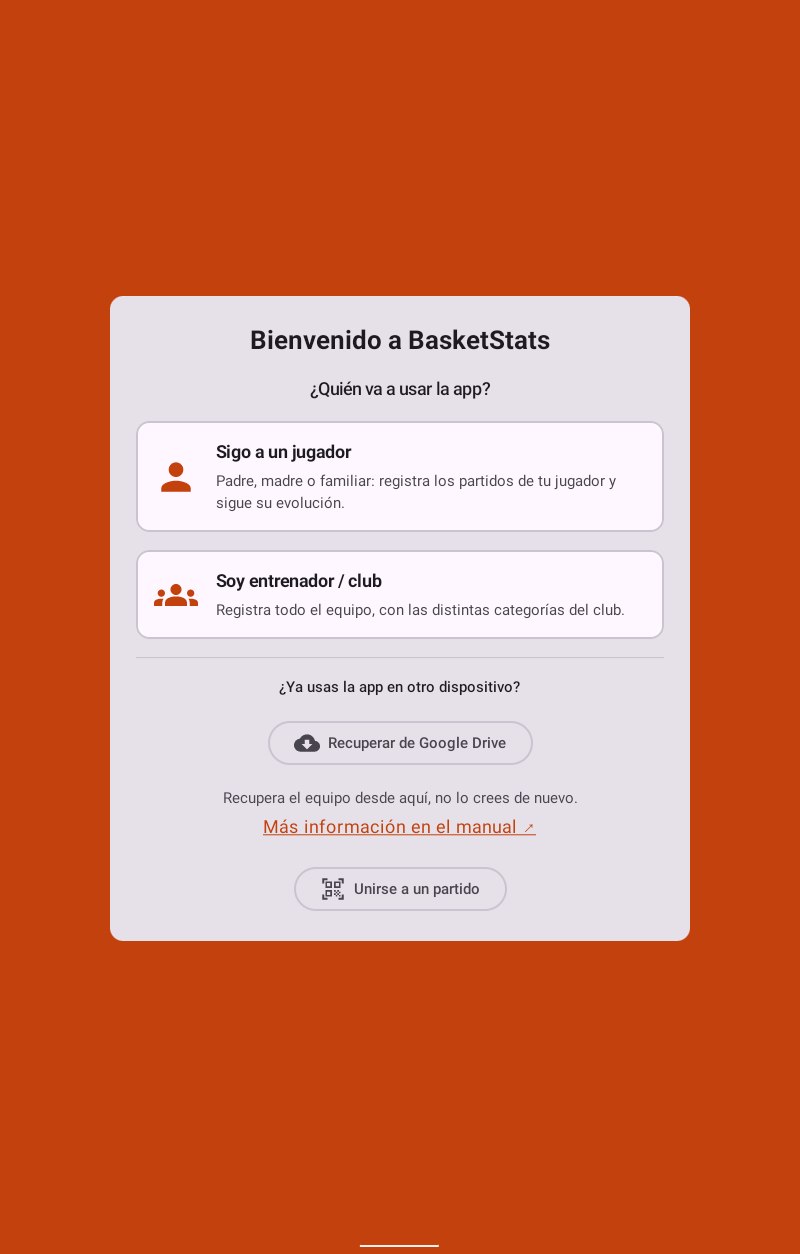
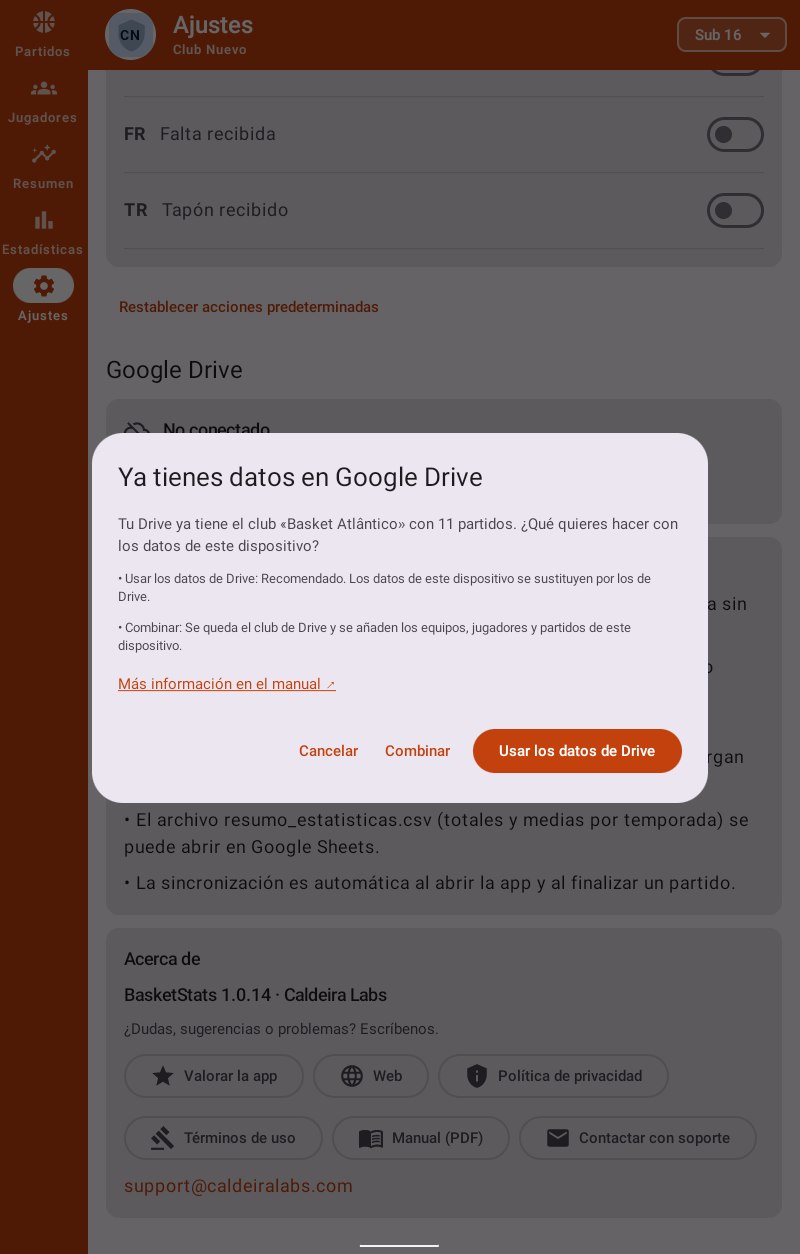
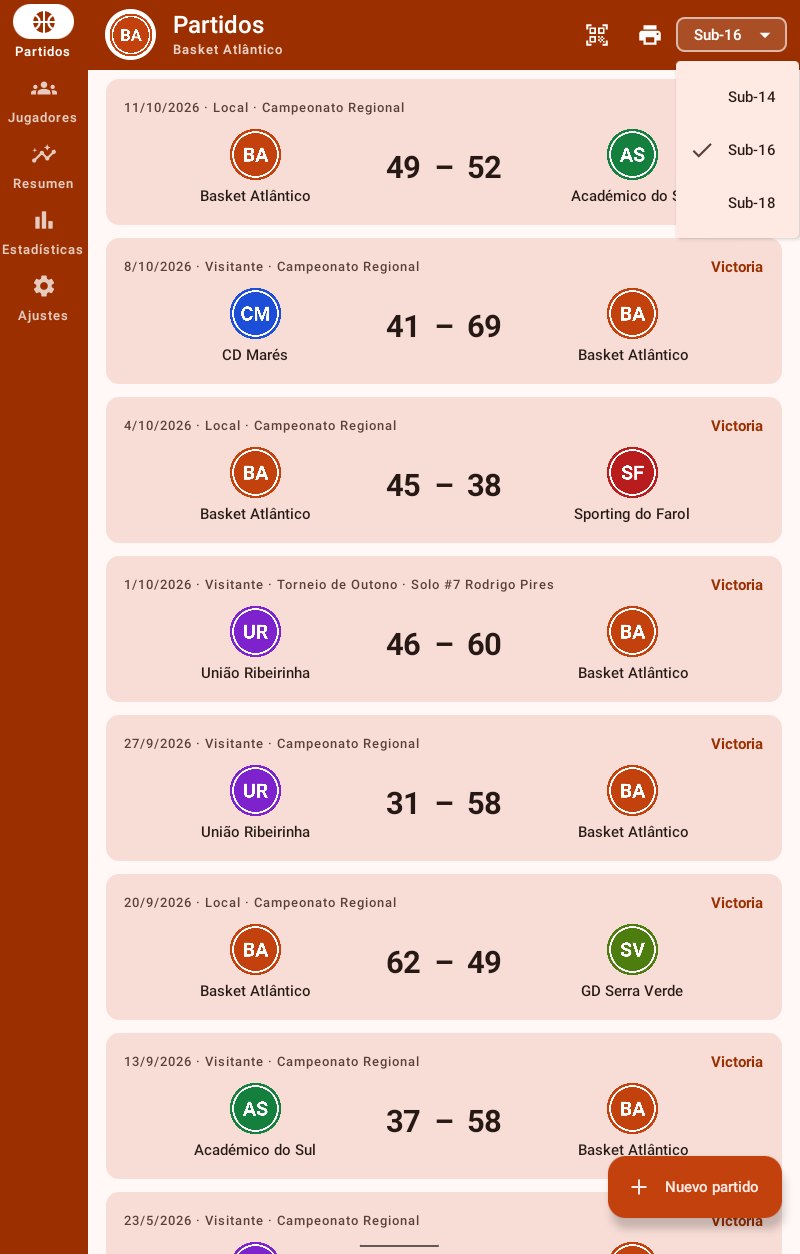
Para registrar el mismo partido en dos dispositivos a la vez (por ejemplo, un ayudante que registra rebotes), usa Unirse a un partido con el código QR. Funciona sin internet.
Manual completo: BasketStats-manual-ES.pdf · Dudas: [email protected]
The same team on different devices
How to keep games recorded on different devices in the same team.
Example: this weekend you record an U16 game on the tablet and, the following week, another game of the same team on your phone. For both games to be in the same team and the season stats to add up, both devices use the same Google account and the second one gets the team from Google Drive.
Step by step
- Device A: in Settings → Connect and sync, connect the Google account. Record and finish the game. It is sent to Drive when the game finishes or, with no internet at the gym, when you tap Sync now.
- Device B, freshly installed app: on the first screen, tap Restore from Google Drive and pick the same account. You get the club, teams, players and games.
- Device B, already with data: when you connect Drive, the app warns that Drive already has a club. Choose Use the Drive data. “Merge” is only for adding what you recorded on this device to the Drive club.
- At the top, pick the team (U16) and record the game. When it finishes, it syncs by itself. Device A gets it the next time the app opens with internet.
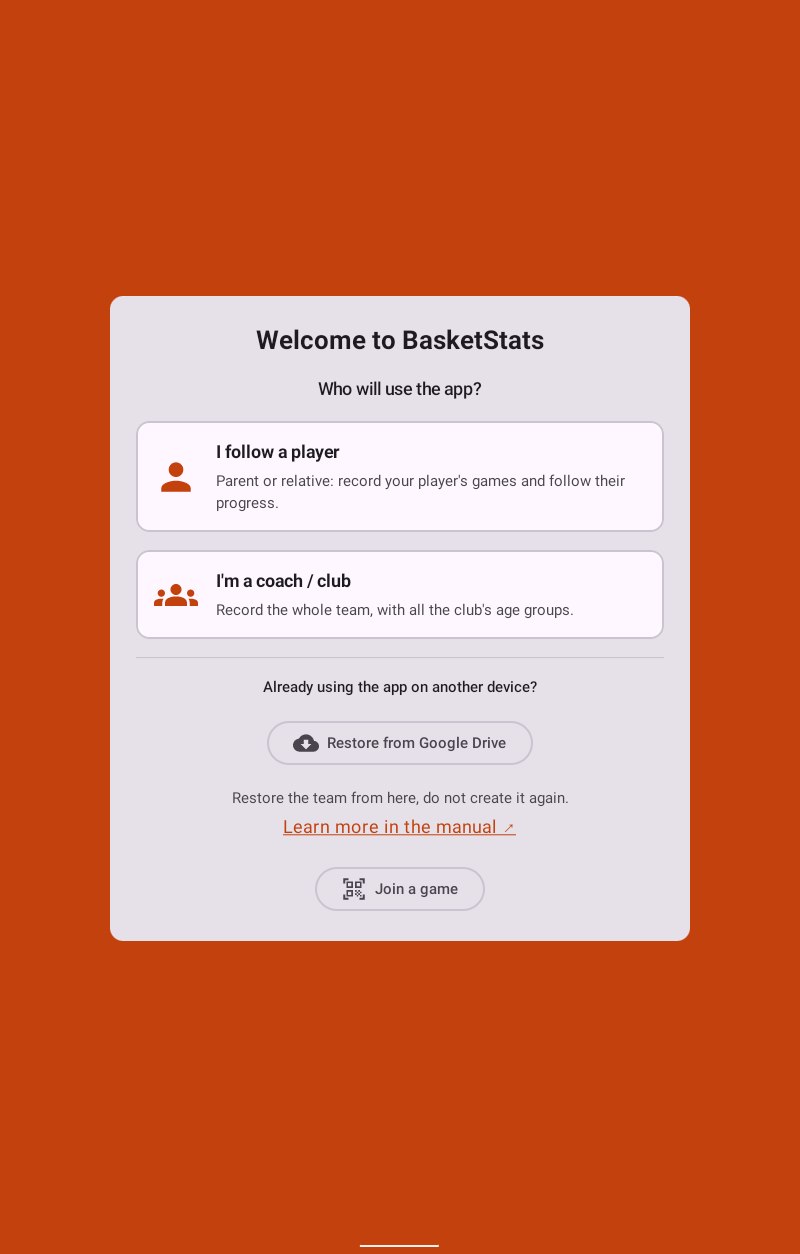
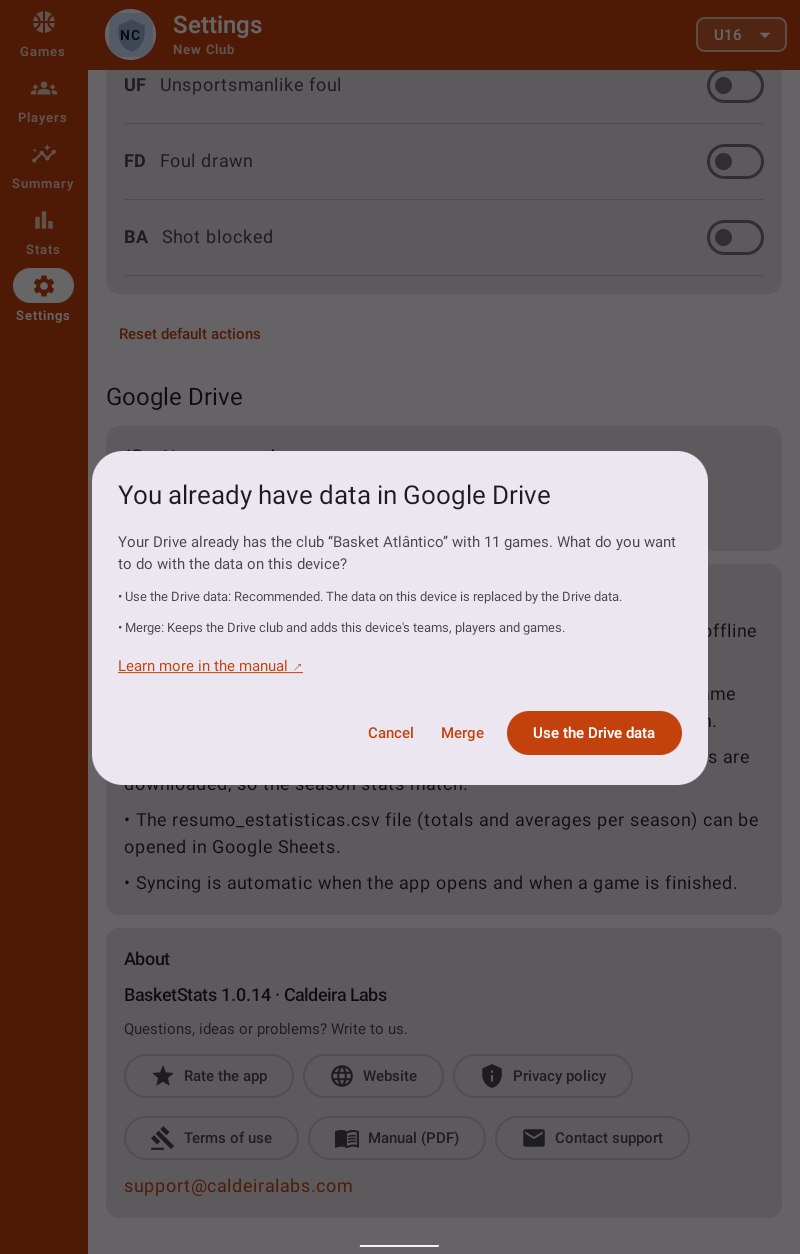
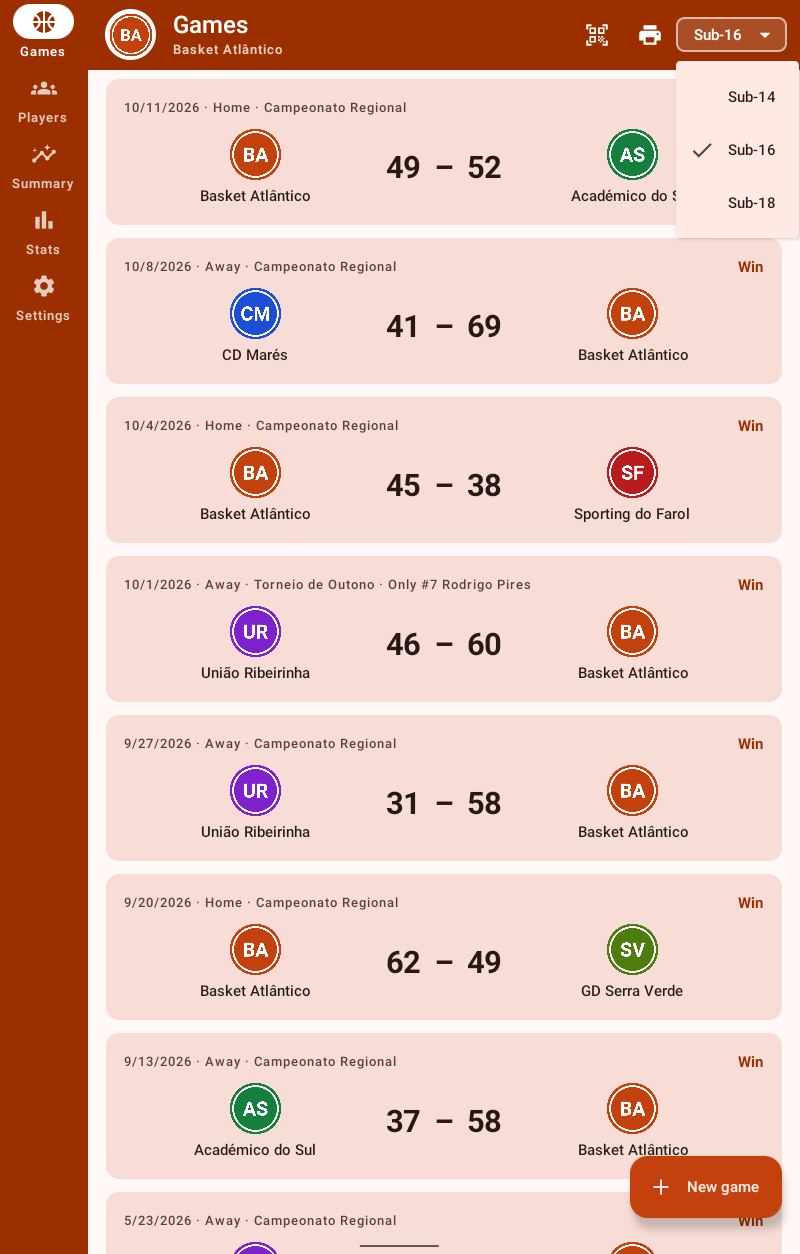
To record the same game on two devices at once (for example, an assistant recording rebounds), use Join a game with the QR code. It works offline.
Full manual: BasketStats-user-manual-EN.pdf · Questions: [email protected]